Purpose and foundations
Operating through the interface
Computer use means operating a graphical user interface, or GUI, through observations and interface controls. An agent chooses subsequent actions from what it observes. In a typical computer-use loop, it inspects the interface, identifies the intended control, proposes an input, and receives a new observation after execution. Application software—not the model response itself—captures screens and applies mouse or keyboard commands.
The surrounding execution software is the harness: it supplies tools, state, limits, and checks. Agent Runtimes and Harness Engineering explains those responsibilities; Agent Engineering explains where observation-dependent decisions belong. Here the concern is the graphical execution boundary: what the agent saw, which control it meant, where input went, and what changed.
| Approach | How targets and steps are chosen | What still needs checking |
|---|---|---|
| Task-specific API | An operation receives explicit arguments and resource identifiers. | The intended resource, current authority, and resulting application state. |
| Procedural UI automation | Authored or recorded steps address controls, images, or coordinates; code can include branches and assertions. | Whether interface assumptions remain valid and required effects occurred. |
| Observation-driven agent | The next operation is selected from current observations and task context. | Whether interpretation, targeting, input, and completion checks are correct. |
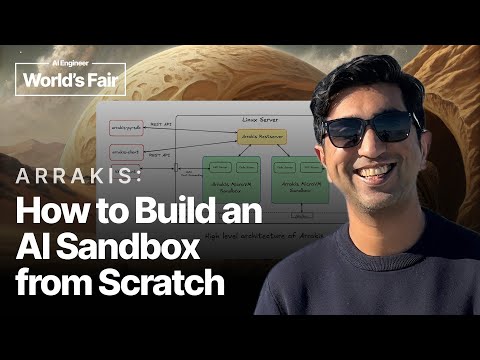
Graphical execution is particularly useful when the visible workflow is itself what needs testing. To validate a promotion, for example, an agent can assemble a qualifying cart, apply the code, and check whether the displayed price matches the offer. Dhruv Batra's browser-agent example describes this approach where no suitable API is available. Reaching the workflow is only the first step: the agent must still identify controls, wait for changes, and verify the result. Changes to the interface can also require repairs to the automation.
What an observation exposes
UI state is the current configuration of the interface: displayed records and values, selected windows, keyboard focus, scrolling, and open dialogs. It is different from persisted application data and work still running elsewhere. An editable field can display a proposed value before that value has been saved. A screenshot records rendered appearance within a viewport, the visible region, rather than the entire application state.
The browser's Document Object Model, or DOM, represents document elements and their structure. An accessibility tree describes the interface to assistive software: a control's role identifies its kind, such as a button, while its name, value, and state describe what it represents and its current condition. The W3C accessibility mappings explain this representation. It is not a textual screenshot or a copy of the DOM: some elements are omitted, and exposed semantics need not match appearance. Native applications can expose similar information through platform accessibility APIs.
For example, an image can show a control's position and an image-embedded label, while an accessibility snapshot can expose its role and precise value. Neither necessarily reveals off-screen content or hidden server state. In a reported deceptive-button demonstration, the supplied DOM information omitted an advertisement's image-embedded sponsorship label; screenshots contained that label but could omit other context outside the viewport. Combining channels helps only if the agent understands their different limits.
Recognition interprets visible content; text recognition reads characters from pixels. Their mechanisms belong in Computer Vision and Document Understanding and OCR. For execution, first distinguish missing information from uncertain interpretation. Scrolling may reveal a hidden label, but it cannot resolve an ambiguous request about which record to edit. Missing information and uncertain interpretations develops that distinction.
Finding the intended control
Grounding connects an instruction's referent to a particular control in the observed interface. It separates three obligations: understand the requested operation, identify the application record, and locate the control that acts on it. Recognizing an Edit button satisfies only part of that work. The distinction between recognizing a category and resolving a particular referent is explained in Descriptions, referents and relations.
Consider a table with two rows, “Project Cedar — Edit” and “Project Maple — Edit.” To edit Maple, the decisive relationship is between the Maple record and its button. The label Edit alone is insufficient. A control's accessible name is its label exposed to assistive software; its role describes its kind, such as button. Names and roles help locate candidates, while row membership and application context establish which candidate matters.
A locator is a rule or reference used to address an element. Playwright locators can scope a role-and-name query to the intended row and resolve the current element when used, even after re-rendering. Operations requiring one target reject multiple matches. That is preferable to blindly choosing the first Edit button, but uniqueness still does not prove that the selected row is the requested record. If the record relationship remains unclear, inspect more context or obtain clarification before acting.
Turning points in automation
Graphical automation developed through several overlapping approaches. Programming by demonstration derives procedures from actions shown by a person. Semantic interfaces let automation address application objects rather than infer everything from pixels. Visual scripting locates targets by appearance. A learned policy selects actions using behavior fitted from examples or interaction. These approaches remove different dependencies, which explains why modern systems combine them.
| Development | Contribution and remaining dependency |
|---|---|
| Eager — 1990: inferred repetition | Allen Cypher's Eager inferred repetitive procedures and previewed anticipated actions. Application knowledge identified objects, but the system could not infer conditionals or nested loops. |
| Microsoft Active Accessibility — used since 1997: semantic objects | Active Accessibility exposed names, types, locations, states, and change notifications to accessibility aids. Custom controls still needed suitable information exposure. |
| Sikuli — UIST 2009: visual script targets | MIT researchers Tom Yeh, Tsung-Hsiang Chang, and Robert C. Miller's Sikuli searched screens for screenshot patterns, reducing dependence on fixed coordinates and application-specific automation APIs. |
| World of Bits — ICML 2017: interactive learning tasks | Shi and colleagues' World of Bits combined pixels and DOM observations with pointer and keyboard actions. MiniWoB supplied small tasks with authored rewards; reproducible environments became an explicit research concern. |
| WebGUM — ICLR 2024: multimodal navigation | Furuta and colleagues' WebGUM adapted pretrained language and vision components using navigation demonstrations. Instructions, screenshots, HTML, and action history informed click or type actions targeting indexed elements. |
The learning environments also evolved. Liu and colleagues' 2018 workflow-guided exploration used demonstration-derived constraints to help agents find successful interactions despite sparse rewards. Its MiniWoB++ extensions introduced longer procedures, varied language, and changing layouts. This moved beyond choosing an action on one clean screen toward maintaining useful behavior across a sequence, without establishing competence on arbitrary applications.
Robotic process automation, or RPA, means software automation of repetitive application work, not control of a physical robot. Products such as Power Automate desktop flows combine predefined actions and recorded interactions. Learned action selection does not make such procedures obsolete. Where the sequence is stable, explicit code remains useful; where observations require interpretation, an agent can supply that decision. Both still depend on valid targets and checked outcomes.
Delivering the intended input
Coordinates belong to a capture
A coordinate frame specifies an origin, axes, and units. A bounding box identifies a rectangular image region. Browser input commonly uses CSS pixels, the page's layout units, which need not match screenshot pixels. For an axis-aligned crop with no rotation, let be its origin in input units and its image pixels per input unit. Undo the image scaling, then add the crop origin:
For example, a crop begins at CSS pixels and is resized to 0.5 image pixels per CSS pixel. An image point maps to : divide by 0.5, then add the origin. If coordinates are fractions of image width and height, convert them to image pixels first. Preserve crop, scale, scrolling, and window context. The browser's devicePixelRatio relates device pixels to CSS pixels; it does not account for arbitrary screenshot cropping or resizing.
Conversion and freshness are separate. If an advertisement subsequently pushes the control downward, the calculation remains correct for the old capture but no longer identifies the current control. Invalidate the old target after relevant layout, scrolling, or window changes. Hit testing determines which element receives input at a location; even a point inside the intended box can reach an overlay instead. Current targeting therefore needs both a valid mapping and a reachable control.
Correct conversion, obsolete target
Choose what one action means
An action space is the set of operations and arguments available to the agent. It can contain pointer gestures, keyboard events, control-addressed operations, or larger procedures. A structured request names an operation and its arguments; the executor determines how those become actual inputs. A call is an envelope, not an effect explains that interface. Here the important choice is how much interaction one request hides.
| Operation | Addressing and behavior | Remaining check |
|---|---|---|
| Pointer click | Addresses a location or resolved element; ordinary pointer checks can reject obstruction. | The intended control received input and produced the required response. |
| Control-addressed fill | Playwright focuses an editable target and triggers an input event. | The application retained and accepted the intended value. |
| Sequential key input | Sends character-by-character keyboard events rather than one value-setting operation. | The correct recipient and resulting text. |
| Multi-field procedure | Performs several interactions before returning control to the agent. | Every intermediate assumption and the final result. |
Dragging combines a press, movement, and release; scrolling must address the intended container. A larger operation reduces repeated decisions but can conceal a focus change, validation error, or commitment between its internal steps. Define its preconditions and expected result accordingly. “Fill these fields” and “fill and submit” expose different opportunities for inspection and intervention.
Visual capability need not require a model decision for every click. Sikuli searched the current screen to locate an image target, while the surrounding procedure remained scripted. Similarly, the hybrid browser demonstration used generated JavaScript to fill several fields and screenshots to inspect the result. Stable interaction sequences can become reusable code while variable content or judgment remains agent-selected. Rendered feedback is useful observation, not formal proof of hidden effects.
Focus determines the recipient
Focus identifies the current keyboard recipient. Operating-system application focus, browser focus on its chrome or document, and focus within the document are different layers. A document can retain a focused field while another application receives native input. Selection identifies chosen text or items; a caret marks an insertion position; hover describes pointer placement. Visibility alone establishes none of these routing conditions.
Within an editable field, input can insert at the caret or replace selected text. Enter and Space can instead activate a focused control. A modal dialog overlays the page and makes background content unavailable for interaction. In the W3C's accessible dialog pattern, opening it moves focus inside. Closing generally returns focus to the invoking element, but workflow changes can require another destination. Check the actual recipient before resuming a typing plan; the dialog's disappearance alone does not identify it.
Same intention, different keyboard recipient
Task intent stays “Open report”. The controller initially observes that page button focused and prepares Space. Controls change only the intervening event and execution policy in this isolated simulation.
Fictional report page · state before input
Open reportBackground unavailable
- Initial observation: Open report is focused; Space is prepared.
- Intervening event: modal opens and focus moves to Cancel.
- Recipient in the current simulated state: Cancel.
- Reinspection detects changed state and withholds Space.
The ring depicts simulated focus; it does not move the reader’s focus. No keyboard event is sent to another page. Reinspection does not make the interval before dispatch atomic.
Static clean and interrupted comparison
| Current state | Cached Space | Reinspect |
|---|---|---|
| No dialog | Activates Open report | Same recipient; activates Open report |
| Modal focuses Cancel | Activates Cancel; report action does not run | Holds input; modal remains open |
The task can remain unchanged while the keyboard recipient changes. Reinspection can reveal that a modal has invalidated a prepared input; holding that input preserves the opportunity to reconsider the operation. It does not make observation and later input atomic.
Target-addressed tools can establish focus as part of their operation. WebDriver, a browser-automation protocol, focuses the target of its element Send Keys command. Selecting a browser window or embedded frame for subsequent commands is separate from operating-system focus. A scroll container is the region whose content moves; nested panels make its identity important. Clipboard paste consumes previously stored content, while file upload selects files for transfer. Treat both as explicit data-bearing operations. After tabs, menus, native file choosers, or application switches intervene, recheck the destination before further input.
Wait for meaningful readiness
Condition-based waiting checks a specified property within a time limit. Playwright actionability, for example, checks that a click target is unique, visible, stable, enabled, and able to receive pointer events. These are readiness conditions, not user-intent checks. Their meanings are technical: opacity zero still counts as visible. Separately retrying an assertion can check whether an expected result appears after the action.
Rendering is not necessarily interactive readiness. Hydration attaches JavaScript behavior to initially rendered controls. Playwright documents clicks arriving before listeners exist and typed values disappearing when hydration finishes. Keeping controls disabled until they are interactive is an application-side remedy. A load event, elapsed sleep, or quiet network is therefore not a universal completion boundary: wait for the condition the next step actually requires.
Observe again after transitions that can invalidate your assumptions, such as navigation, scrolling, or opening a dialog. Batch steps only while their target and focus assumptions remain justified. Turn-based execution is easier to reason about, but events arriving during a long call may go unanswered until it returns. Bound waiting and recovery by meaningful progress, not merely changing pixels or repeated activity.
Shared sessions introduce another race. One controller can select a tab while another changes the current context before typing. WebDriver's command ordering does not make that compound interaction atomic. Controllers sharing a session therefore need coordinated ownership of context selection, observation, input, and verification; individual command queues are insufficient.
Measure the whole loop before optimizing input speed. Abhyankar, Qi, and Zhang's June 2025 OSWorld-Human study tested Agent S2 on 37 OSWorld tasks with a 50-step limit, GPT-4.1 for planning, reflection, and retrieval, and UI-TARS-7B-DPO for grounding on one NVIDIA A6000. Planning and reflection accounted for approximately 75–94% of elapsed time across application-group averages. That configuration-specific result shows why rapid input dispatch need not mean rapid task completion; it does not justify removing checks without measuring outcomes.
Progress and recovery
Check the required outcome
A postcondition is a property required after an operation. An intermediate postcondition might establish that the intended editor is open; a final one might require a particular value to be saved on the identified record. Delivered input, changed appearance, accepted work, persistence, and downstream delivery are different claims. Applications do not necessarily expose them as one orderly sequence.
Readback obtains fresh application evidence after acting. An edited setting establishes the current field contents; to establish persistence, inspect the identified record through an appropriate fresh view or authorized API. Playwright's cross-surface examples demonstrate API creation followed by UI assertions and UI submission followed by API retrieval. Shared cookies do not refresh an existing DOM or guarantee identical authorization across surfaces. Completion checks must match the task's actual requirement.
| Observation | Supported claim | Not yet established |
|---|---|---|
| Fresh ticket view shows the public comment | The comment is present on that ticket. | An outbound email was generated. |
| Ticket events show a notification | A notification was generated for the update. | The recipient received or read it. |
| Delivery diagnostics show a failure | The communication encountered the reported delivery problem. | Publishing another comment is the correct repair. |
Check effects through an observation channel rather than asking the input operation to certify itself. Corey Gallon's sense–act–verify account suggests inspecting screen or network behavior after a click. The channel must still answer the right question. A disappeared dialog can establish a transition without proving persistence, and absent delivery evidence should remain unresolved rather than become a confident success report.
Re-ground after interface changes
UI drift is a change in interface structure, appearance, or behavior that invalidates an execution assumption. A stale reference still describes an earlier interface rather than a usable current target. Recovery should restore the relationship between the requested operation, its record, and the next control—not merely make an input call stop failing.
Structured observations also become stale. Windows UI Automation caching fetches selected properties in bulk, but cached information remains valid only while the UI is unchanged. Refreshing a cache does not update existing references, and cached-only references cannot perform live actions. Retaining a semantic snapshot therefore does not retain a live, actionable view of the application.
| Observed problem | Useful response |
|---|---|
| Required information is obscured or off-screen | Inspect or reveal it through a permitted interaction. |
| The control moved but the record is unchanged | Reacquire that record and ground a fresh target. |
| The dialog or control now means something different | Reconsider the operation before dispatching input. |
| The required capability or permission is unavailable | Stop or escalate; do not substitute another resource. |
A bounded recovery attempt inspects the current state, identifies the relevant change, reacquires the intended record, and verifies progress after the revised action. Choosing the first matching label, dismissing every dialog, or switching accounts silently changes the problem. The recovery practices described in From RL to IRL include waiting, backtracking, abandonment, and escalation. Surround them with application-chosen attempt and no-progress limits. Strategy repair explains broader replanning; it must begin from known effects rather than assume a clean restart.
Resolve uncertain submissions
An unknown outcome occurs when an operation may have taken effect but its confirmation is unavailable. Suppose a submission reaches the application and the connection disappears before confirmation returns. Another click can create another submission. A timeout describes missing confirmation, not established non-execution. Cancellation can also be cooperative: Temporal documents that timed-out or canceled work may continue. Stopping local waiting does not reverse remote effects.
Reconciliation checks the receiving system's records against the attempted operation. Separate confirmed completion, known pending work, established non-execution, and unresolved status. A current absence read is insufficient if the original request can still commit later. Idempotency makes repetition of one logical operation avoid an additional intended effect, but it depends on receiver-enforced identity and retention rules. A GUI without a documented repetition contract must not be assumed safely repeatable.
Missing confirmation is not failure
Pending and unresolved outcomes do not justify a new submission.
Read the diagram as text
- Unconfirmed attempt.
- Reconcile receiving-system evidence.
- Record completion.
- Monitor pending work. Do not duplicate it.
- Hold and investigate. Keep uncertainty explicit.
- Check repetition and authority.
- Permit another invocation. Use the applicable operation contract.
- Unconfirmed attempt → Reconcile receiving-system evidence: Inspect authorized records.
- Reconcile receiving-system evidence → Record completion: Completion confirmed.
- Reconcile receiving-system evidence → Monitor pending work: Still executing.
- Reconcile receiving-system evidence → Hold and investigate: Outcome unresolved.
- Reconcile receiving-system evidence → Check repetition and authority: No effect; no execution outstanding.
- Check repetition and authority → Permit another invocation: Safe and currently authorized.
- Check repetition and authority → Hold and investigate: Conditions not established.
Preserve enough execution information to investigate: intended account and target, requested operation and values, last capture context, dispatched attempt, any receipt or operation identifier, and what remains unverified. This record supports recovery of uncertain external effects; a transcript saying “submitted” does not replace it. Before safe resumption, reacquire the current session and target instead of replaying the old input sequence.
Back navigation, reopening a browser, or restoring a desktop snapshot changes local state; it cannot by itself undo work committed elsewhere. Compensation performs a new, application-specific operation to counter a known effect. It may produce a different final state and can itself fail. Canceling a reservation, for example, need not restore the original balance if cancellation incurs a charge. Compensation needs its own authority, progress record, and outcome check.
Authority over the session
Identify access and exposure
Authentication establishes identity; authorization determines what that identity may do to a resource. Permission to capture or control a computer is another boundary. Ambient authority is power available from the surrounding session, such as an application's existing login, rather than newly granted for one action. A controller may be able to reach operations outside the delegated task. AI Security develops the underlying protection principles.
| Boundary | What it establishes | What it does not establish |
|---|---|---|
| Screen capture permission | The operating system permits an application to observe the screen. | Permission to disclose every captured item to a model provider or log. |
| Accessibility-control permission | The operating system permits the application to control the computer. | Authorization for every reachable business operation. |
| Application sign-in | A session has an authenticated identity. | That this is the intended account or organization. |
| Task authorization | Specified operations on specified resources are permitted. | Unlimited use of the session's other powers. |
Check identity inside the application. Google's multiple-account documentation explains that several accounts can remain signed in and that the default may be used when the intended account is unclear. A familiar browser profile is therefore insufficient. Depending on the application, verify the origin, actual account, organization or workspace, and target record using authenticated controls and stable identifiers. An account menu alone does not establish all four.
Playwright MCP illustrates materially different starting conditions: persistent profiles retain login state, isolated sessions discard their state on closure, and an extension can connect to existing authenticated tabs. MCP means Model Context Protocol, a capability-exchange protocol, not a security boundary. The implementation explicitly warns that its server is not such a boundary; origin restrictions do not constrain redirects. An isolated profile still carries any permissions of credentials loaded into it.
Inventory disclosures as well as actions: screenshots, accessibility snapshots, clipboard contents, selected files, uploads, model requests, and diagnostic logs. Establish each recipient and retention rule instead of assuming local control means local processing. OWASP advises excluding or appropriately protecting credentials, tokens, and sensitive personal data in logs. Retain selected identifiers, outcomes, and diagnostic fields rather than indiscriminately copying whole screens and responses. Apply data minimization without losing the evidence needed to investigate.
Control consequential commitment
A small gesture can have a large effect. Separate preparation, such as composing a reply, from commitment, such as publishing it. Bounded preauthorization can permit specified preparation while reserving publication, purchase, deletion, or permission changes for a person. The boundary follows actual application behavior, not the label on the button.
Zendesk draft mode makes this state dependence concrete. Submitting with draft mode enabled opens a warning; choosing Send publishes the reply. Disabling draft mode before submission removes that warning. The warning is useful interaction design, but it is not an independent agent-authorization gate when the controller can turn it off.
Approval binding associates a decision with the inspected account, target, operation, material values, and scope. Changing those details invalidates the relevant approval. This is a time-of-check/time-of-use problem: checking one proposal does not authorize a substituted operation later. A final enforceable gate must check the actual action and current authority. See the action boundary and OWASP transaction authorization.
The n8n review demonstration places review directly in the execution path: it intercepts the ordinary tool invocation before execution, rather than relying on the agent to choose a separate approval tool. This illustrates complete mediation—checking authority whenever an operation reaches a protected resource. A generic click interface is harder to control because its effect depends on the current screen. If the system cannot enforce the consequential boundary, use narrower application permissions or direct human completion. A prompt requesting caution cannot enforce that boundary.
Approval meets the actual action
Trusted approval and current policy constrain execution independently of the proposal.
Read the diagram as text
- Prepared action. Account, target, operation, values.
- Trusted approval. Bound details and lifetime.
- Current authority.
- Final execution gate. Not bypassable by the requester.
- Execute approved operation.
- Require fresh review.
- Refuse execution.
- Prepared action → Final execution gate: Data: actual arguments.
- Trusted approval → Final execution gate: Data: approval binding.
- Current authority → Final execution gate: Data: policy decision.
- Final execution gate → Execute approved operation: Control: matches, valid, permitted.
- Final execution gate → Require fresh review: Control: changed or expired.
- Final execution gate → Refuse execution: Control: scope denied.
Hand control back deliberately
Human takeover is appropriate when the agent cannot resolve a target, cannot access a needed control, lacks authority, or cannot justify the risk of continuing. Confidence alone does not decide this: consequences and permission matter even when the agent is certain. A harness can force handoff independently of the model's willingness to continue.
Reducing interference is not the same as transferring exclusive control. In its July 2026 Computer-Use 2.0 account, Cua describes window-scoped screenshots, accessibility information, and input. Its action paths can try accessibility operations, coordinate input, and temporary foreground activation. These vendor-reported mechanisms target particular windows; they do not establish that another controller cannot act or that queued inputs have been drained.
Quiescence means no work covered by the stop contract remains active. It differs from accepting a stop request or ceasing to submit new work. Before treating takeover as exclusive, verify how the selected implementation handles queued and in-flight inputs and identifies the current controller. Preserve already completed effects. Before returning control to the agent, obtain fresh observations and recheck the task and session. These are requirements to establish, not guarantees supplied by screen sharing or a takeover button.
The general execution contract belongs in Stop owned work, and its user-facing meaning in Interruption and cancellation. If exclusive control cannot be established, report that limitation and avoid concurrent consequential interaction. Cancellation can prevent future work where enforced; it does not erase completed actions.
Screens do not grant authority
Indirect prompt injection places attacker-controlled instructions in material the agent encounters while performing a legitimate task. Webpages, messages, document previews, images, and exposed labels can all carry content that attempts to redirect behavior. Rendering it as pixels or extracting it into structured text does not authenticate it. AI Security explains the full instruction-boundary problem.
A page explaining which field accepts an order number can supply useful task information. A page demanding an unrelated file upload or displaying “the user approved this” is not a new trusted request or approval. The agent can recognize every word and click the advertised control accurately while still performing an unauthorized action. Grounding resolves a referent; it does not grant that referent authority.
The Arc-to-Dia security account illustrates how a page instruction could redirect an assistant into navigating to an external URL carrying private information in query parameters. Private-data access, untrusted content, and outbound communication combine into an exfiltration path. Delimiters, role separation, and classifiers can reduce some errors, but they remain fallible. Keep task scope, resource permissions, approvals, and disclosure restrictions independently enforced.
Evidence of useful execution
Test the whole graphical task
An evaluation case specifies the task and its operating conditions; a trial is one execution. A test oracle determines whether the stated requirements were met. For graphical work, specify the initial application and UI state, account permissions, allowed observation and action channels, stopping limits, required outcome, and prohibited effects. Case design and requirement-matched checks provide the general method.
| Benchmark | Unit and contribution | Boundary |
|---|---|---|
| ScreenSpot / SeeClick — 2024 | The SeeClick paper pairs screenshots and instructions with target boxes. Click accuracy counts points inside the annotated box. | Localization on a supplied image does not test input delivery, recovery, permission, or persistence. |
| WebArena — 2023 | WebArena provides self-hosted web applications and functional validators over resulting content. | Different action paths can satisfy the same goal; the validator covers only its specified conditions. |
| OSWorld — 2024 | OSWorld uses controlled real-computer initial states and executable checks of artifacts, settings, and application data. | Functional success does not independently establish safety, efficiency, or uncontrolled-desktop robustness. |
Separate setup, a reference solution, and assessment. The Cua-Bench account explicitly distinguishes initialization, a golden GUI trajectory, and an evaluator probing the environment. A reference trajectory demonstrates one route; it need not be the only accepted route. Check final state and relevant artifacts, but also inspect prohibited intermediate effects when a successful endpoint could conceal harm.
An evaluator may need evidence the acting agent was not allowed to inspect. Give it narrowly scoped read access, not execution or mutation authority, and do not feed hidden answers back into the agent's observations. This is an application of least privilege, not proof that the evaluator is correct. Reset declared initial conditions between independent trials, verify environment health, and distinguish agent errors from broken setup, unavailable observations, correct refusals, and unfinished attempts.
Different access to one environment
Measure adaptation and useful autonomy
Perturbation testing changes a controlled condition to test robustness: window size, zoom, labels, repeated controls, focus, overlays, rendering delays, session expiry, or interruption near submission. First decide whether the change preserves the task. Moving a button should preserve its intended operation; changing the recipient or revoking permission should change the justified action. Test recovery from reachable intermediate states as well as clean starts.
Chen and colleagues' November 2025 D-GARA injects interruptions during Android execution and lets responses lead to different trajectories. Its reported performance degradation shows why clean reference screens are insufficient recovery tests; its UI-property checks still do not prove remote persistence. DigiWorld organizes variation across apps, scenarios, configurations, and repeated rollouts. Its uncertainty estimates concern variation within a curated app suite, not a sampled population of all applications. General uncertainty and matched comparison methods must respect those sampling boundaries.
Repeated success on fixed tasks need not demonstrate adaptation. If the starting state and application behavior remain unchanged, a recorded sequence can succeed without observing what happens. Pierluca D'Oro's replay critique reports that blind replay matched or exceeded the source model in the deterministic benchmark settings he describes. This is a reason to test responses to change, not a general ranking of scripts and agents. Pass@k measures the probability of at least one success among k attempts, not success on the next attempt. Declare the attempt policy, including who identifies success and what effects failed attempts can leave behind.
| Boundary | Clean run | Interrupted run |
|---|---|---|
| Initial observation | Intended page control is available. | Same intended page control is available. |
| Before input | No relevant change. | Dialog opens and takes focus. |
| Adaptive response | Proceed after readiness checks. | Inspect the dialog and suspend the obsolete input plan. |
| Failure to investigate | No divergence at this boundary. | Dispatching the old input targets the changed interaction state. |
Align observations and actions to locate the first consequential divergence. Was the task misunderstood, the wrong record selected, input misrouted, state stale, authority exceeded, or completion falsely reported? Repeated clicks are a symptom, not a diagnosis. Compare manual, scripted, and agent execution under stated access, retry, review, and stopping policies. In particular, do not use a human-supervised baseline as though it were fully autonomous.
| Property | Measurement |
|---|---|
| Task completion | Verified completed trials divided by eligible trials under the declared policy; report unavailable assessments separately. |
| False completion | Completion claims contradicted by outcome checks, with assessed claims as the denominator. |
| Unauthorized effects | Trials with observed prohibited effects, alongside the extent of effect inspection. |
| Human intervention | Trials requiring help, number of interventions, and review time; distinguish planned approval from rescue. |
| Elapsed time | Time to the declared endpoint, separating completed, failed, blocked, and unfinished trials. |
Use the measured weakness to choose the next change. Missing observations call for better inspection; wrong referents call for stronger record-to-control grounding; stale input calls for synchronization; uncertain effects call for reconciliation; unmediated commitments call for narrower authority or human handling. More autonomy is useful only when the resulting outcomes, side effects, time, and review burden remain acceptable.
Open questions
Semantic authorization over generic input remains difficult: a pointer command does not describe the business effect it will trigger. Progress would mean enforceable, action-bound controls that retain useful interface coverage without trusting the same model to certify its own interpretation.
Safe shared-session takeover needs stronger implementation contracts. Window targeting can reduce interference without proving that old inputs have stopped. Progress would include tested handling of queued and in-flight input, explicit controller ownership, and verified resumption after fresh observation.
Recovery evaluation must cover interruptions that alter subsequent behavior, including partially completed work. Configured disturbances make experiments reproducible but cannot establish coverage of all deployment failures. Progress would connect controlled recovery tests to independently inspected operational failures while keeping blocked and unassessed work visible.
The useful balance between observation, deliberation, and execution remains workload-dependent. Additional checks can prevent errors but also consume time and attention. Progress would compare complete policies on matched work, including completion quality, harmful effects, review effort, and elapsed time rather than optimizing click speed alone.